

Creatorz
in your pocket
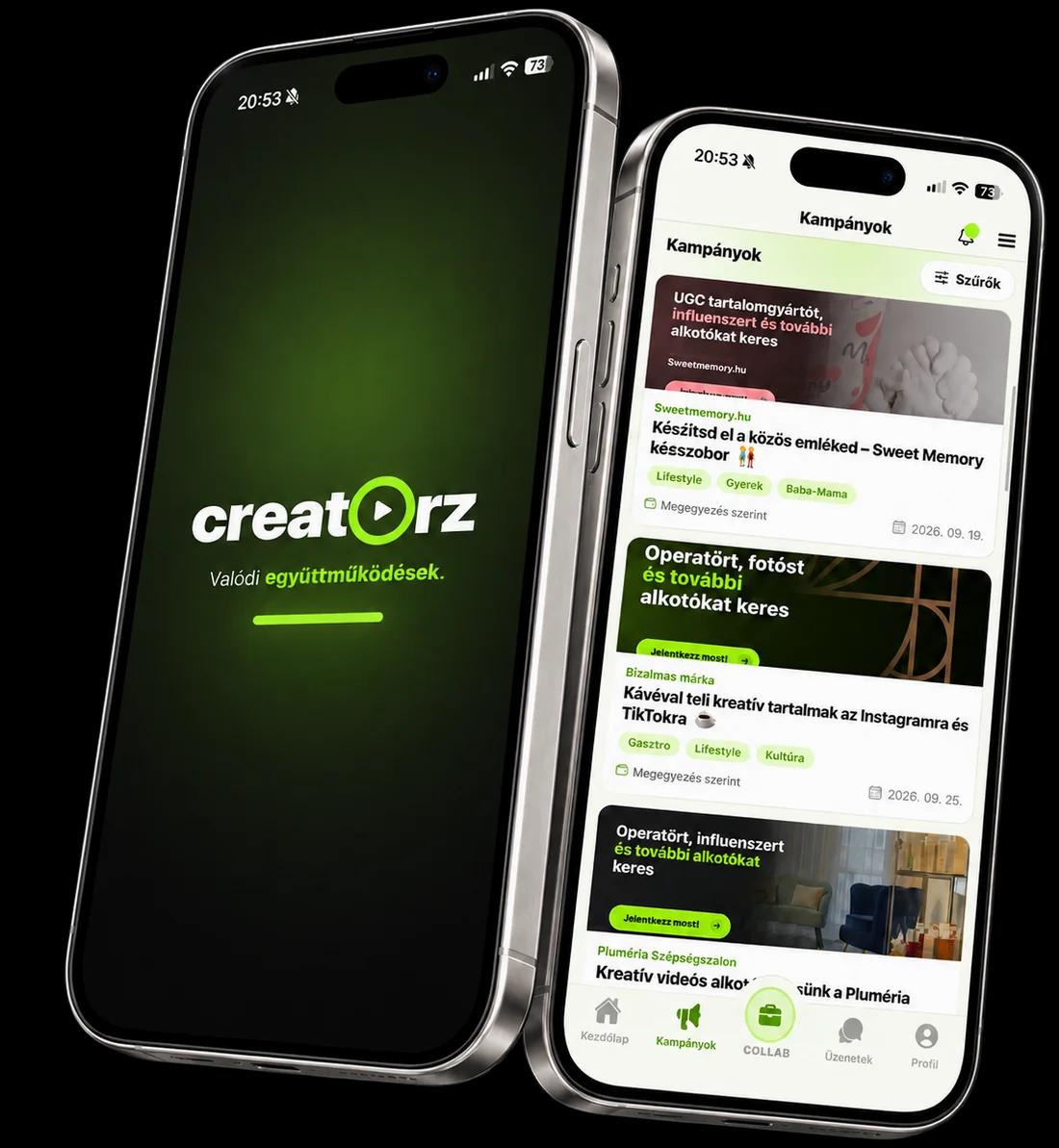
Campaigns, applications, messages and your profile — always at hand. For iPhone from the App Store, for Android from Google Play.

Free · for iPhone and Android (7.0 or later)
Campaigns and applying
Browse the latest campaigns and apply in a few taps — even on the go.
Instant notifications
New campaign, accepted application, incoming message — the app tells you right away.
Messages with brands
Coordinate directly, with read receipts and file sharing.
Verified data
TikTok and YouTube connection through the official APIs — your numbers are verified.
Install on Android in 3 steps
Nothing to do on iPhone: one tap in the App Store.
Download the APK
Tap the download button on your phone — the file comes from the official creatorz.hu.
Allow the installation
When you open it, Android asks about “installing unknown apps” — allow it for your browser. This is a normal, one-time step for apps from outside the store.
Install and sign in
After installing, sign in with your existing account, or sign up directly in the app.
Only download the app from creatorz.hu. Don't accept a “Creatorz” installer from anywhere else — the official file always comes from this page.
Updates: the app updates itself after installation — you'll only need to download a new APK rarely, for bigger changes. We'll let you know in the app in good time.
On iPhone: already on the App Store
The official Creatorz iOS app is out — download it from the App Store, sign in with your existing account, and everything picks up where you left off on the web.
iOS 15.1 or later · free